Yumindo
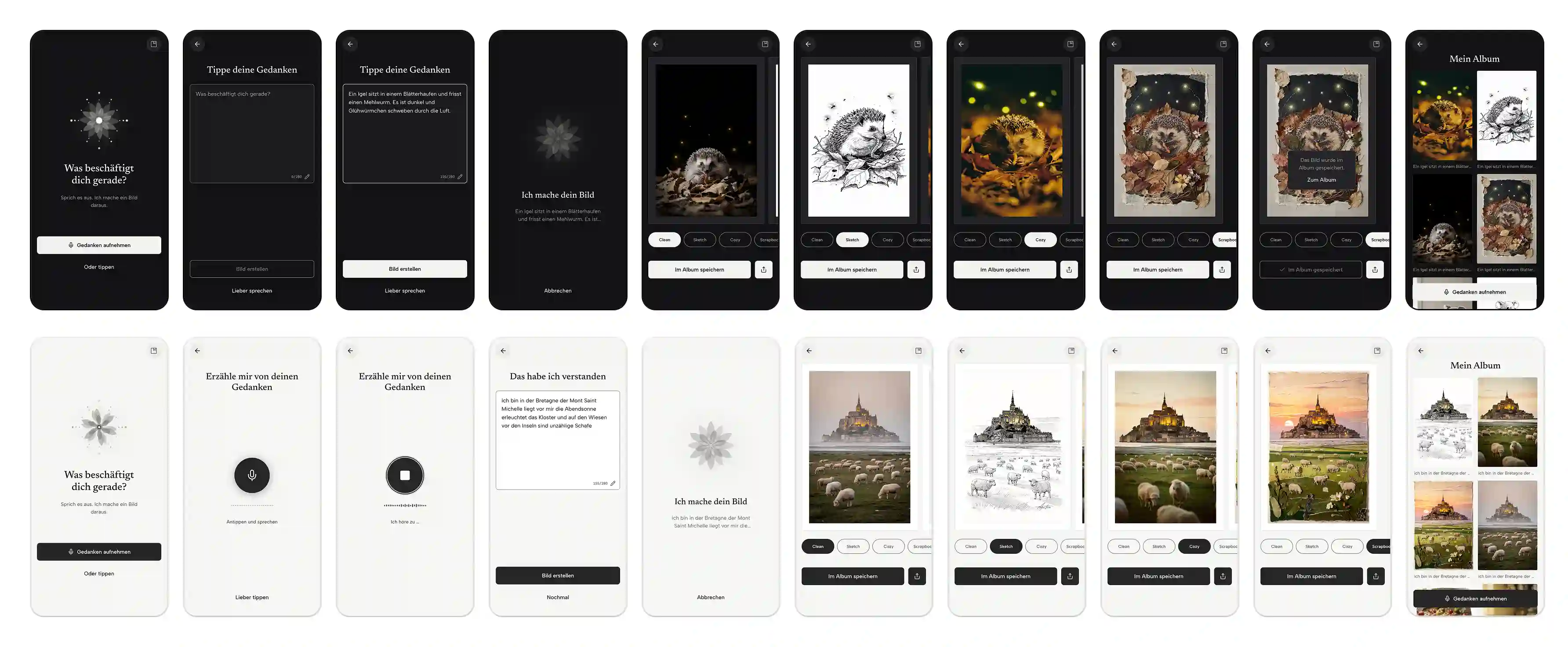
Yumindo brings thoughts, ideas, and memories to life as images. Users say or type what they want to capture, and the app creates a custom image in four different styles. Yumindo takes care of the design.
Project context
Yumindo began as a self-initiated project exploring how to capture thoughts, ideas, and memories in images. I developed the idea into an app, drawing on surveys and user testing to refine the experience, visual styles, and technical approach.
- Role
- Product designer
- Period
- 2026
- Scope
- Product concept, validation, UX/UI design, designing the visual styles, and building the AI-powered app
- Tools
- Claude Design, Claude Code, Codex, FLUX 2, React
Outcome
- Users can capture thoughts through voice or text and turn them into images. The prototype brings together voice input, AI-powered text processing, and image generation in a seamless end-to-end flow.
- The app chooses the best way to bring a thought to life, whether by showing it directly, capturing its mood, or using a symbol.
- If an input suggests an acute crisis, the priority is support, not image generation. The app recognizes these situations and responds accordingly.
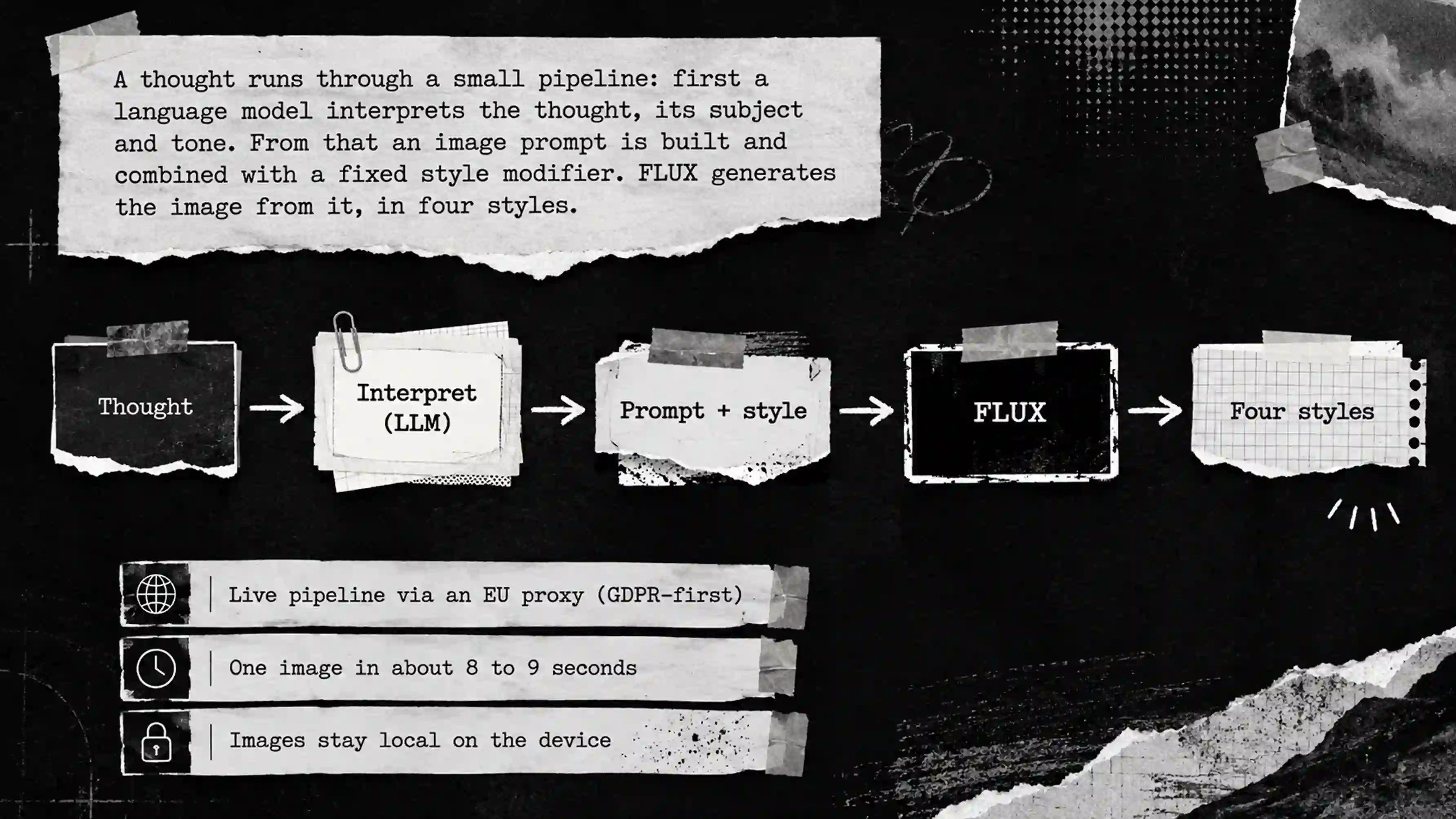
- Users can choose how their input is rendered across different visual styles. Style-specific modifiers define the composition, color palette, lighting, and material qualities of each style, ensuring consistent and clearly differentiated results.
My role
In developing Yumindo, my role went beyond traditional product design. Alongside concept development, validation, and UX/UI design, I also built the app myself using Claude Design, Claude Code, and Codex, bringing design and technical implementation together in one continuous process.
Skills
The style instructions behind the four styles are not shown here. I’m happy to walk through the design decisions, the validation, and the way of working in person.